Microsoft Fabric and Copilot Seminar: When the Business Talks Directly to Its Data
Notes from the seminar Ensight hosted at Microsoft Türkiye's office: SAP data into OneLake, OneLake into a Fabric Data Agent, and from there into Copilot inside Power BI. The business-side counterpart of the chatflow idea I built for developer teams.
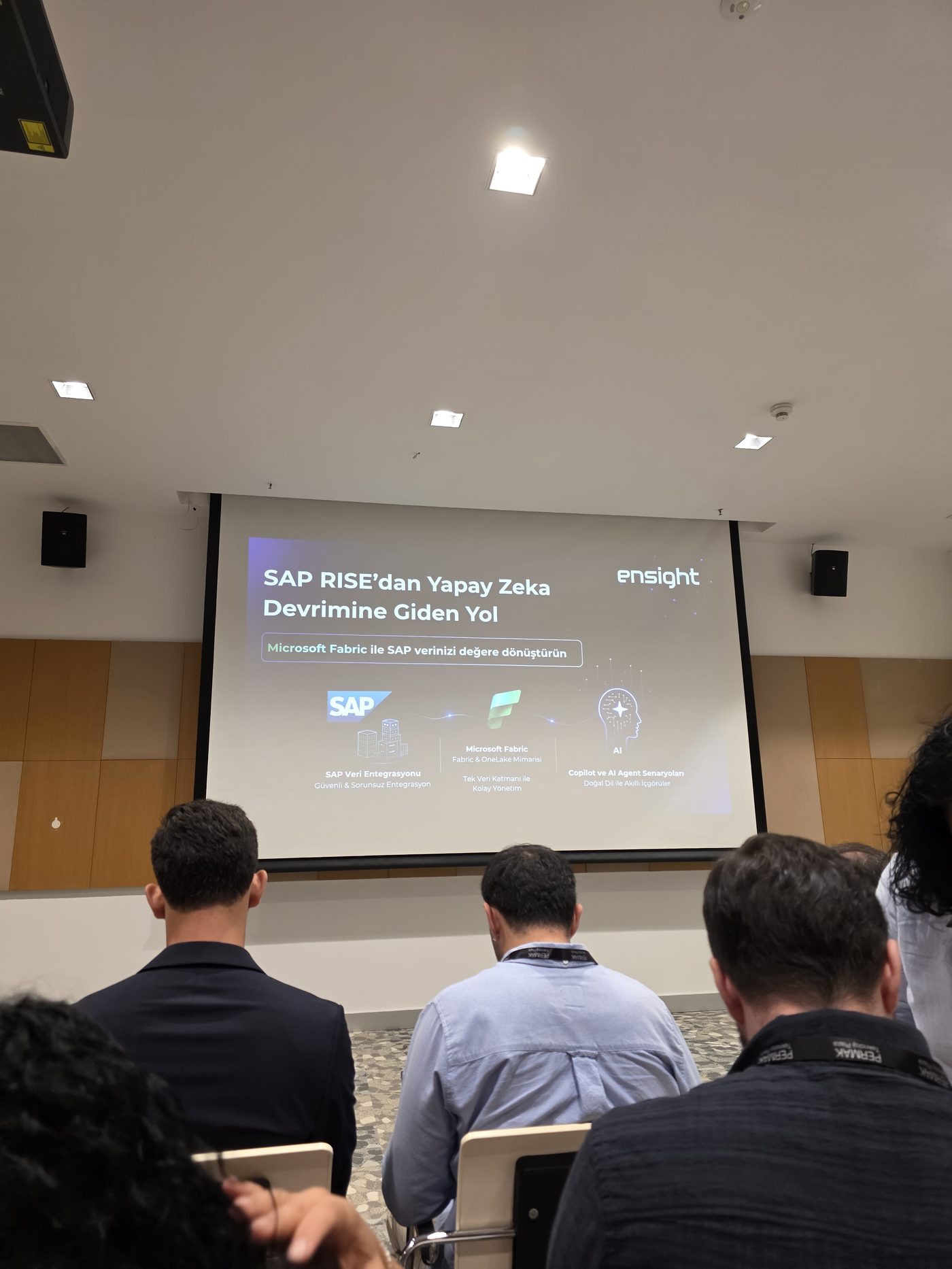
On 23 June, I attended the seminar "The Road from SAP RISE to the AI Revolution", hosted by Ensight at Microsoft Türkiye's office. The topic was connecting SAP data to AI scenarios through Microsoft Fabric. Here are my quick notes.
The Flow They Presented
The whole seminar hung on a single pipeline:
- SAP data integration — SAP data flows into Fabric, i.e. into OneLake.
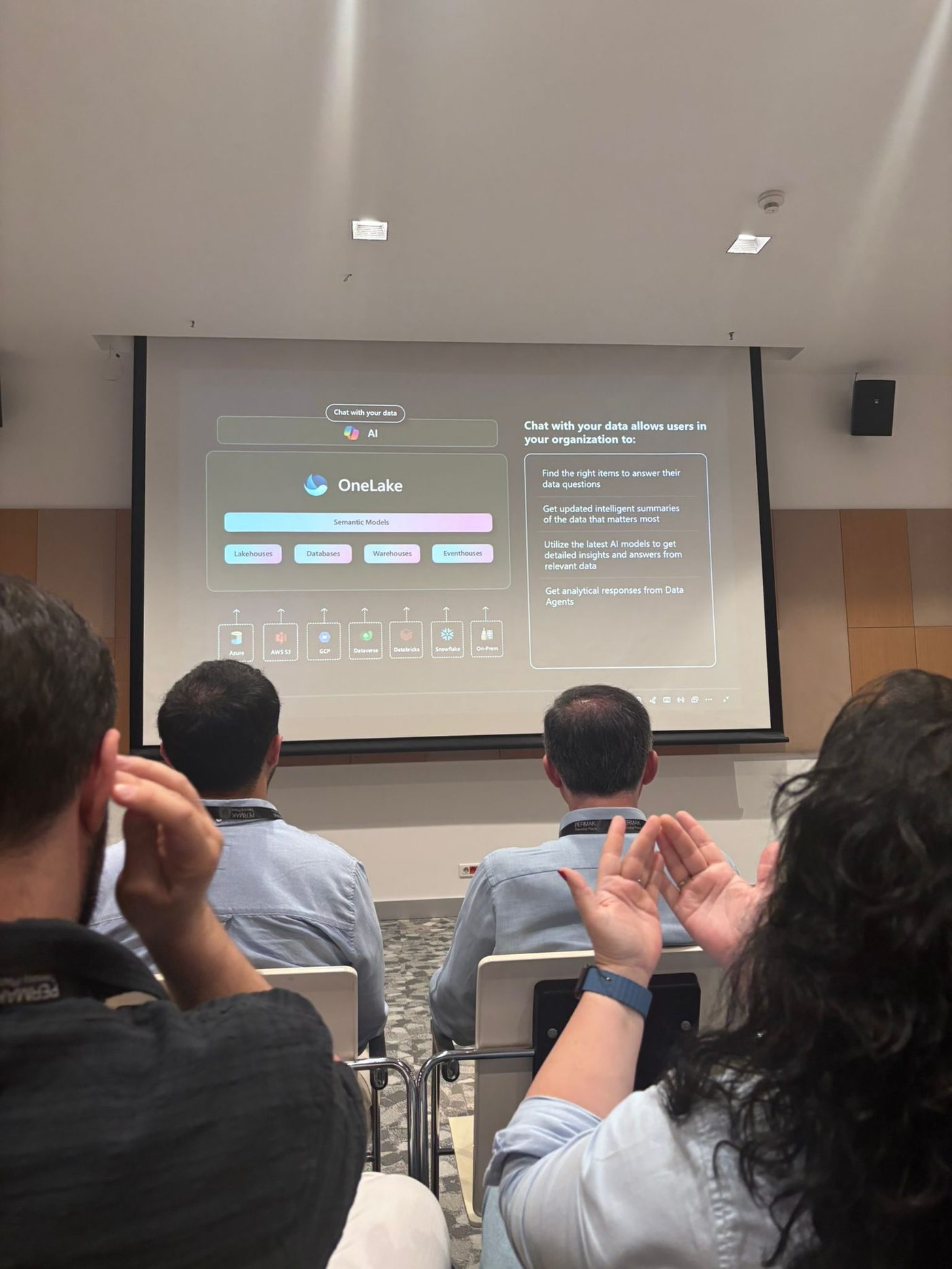
- OneLake — Lakehouses, warehouses, databases and eventhouses sit in a single data layer; Azure, AWS S3, GCP, Databricks, Snowflake and on-prem sources can also be connected to it. A semantic model is built on top.
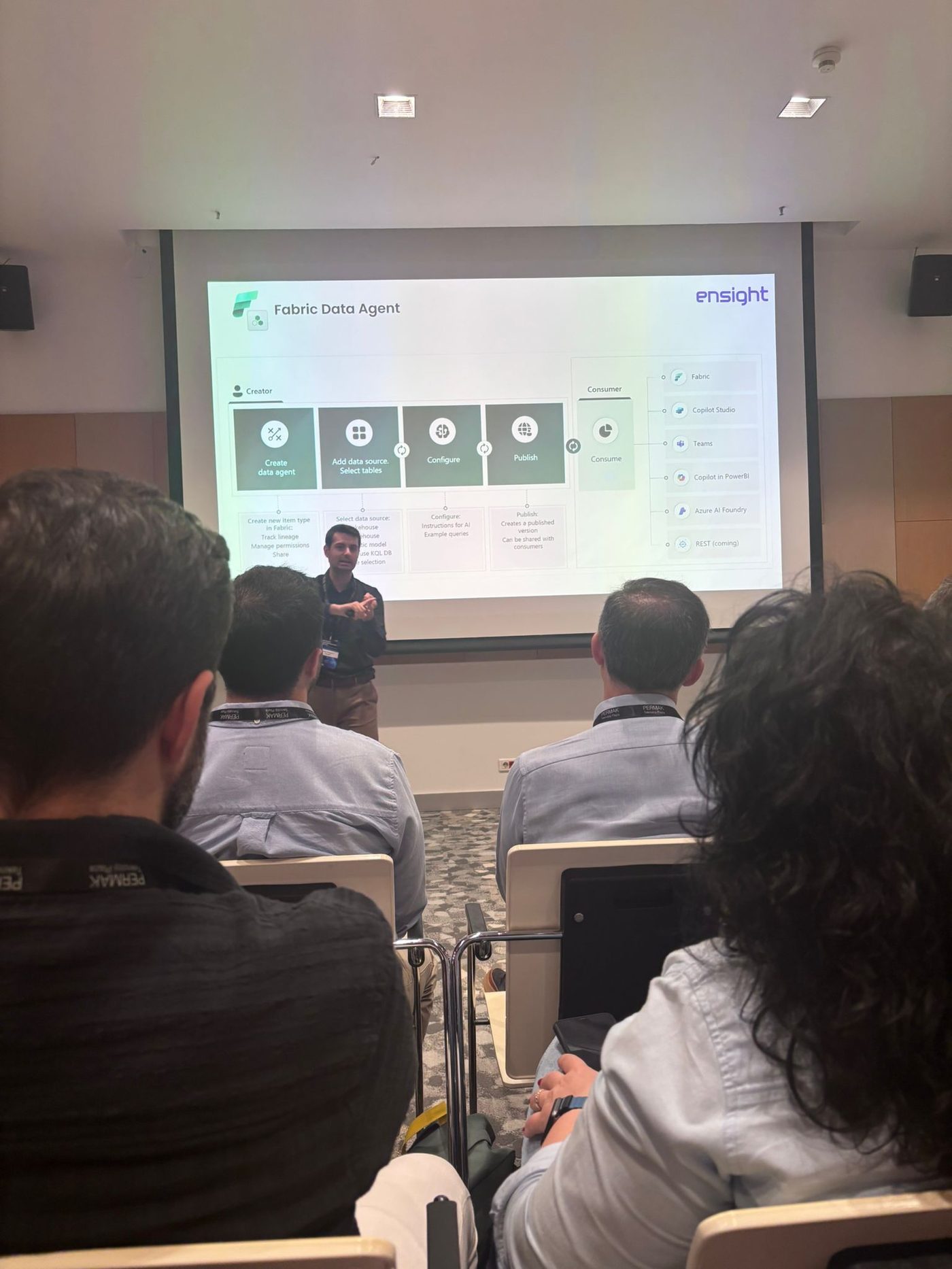
- Fabric Data Agent — Four steps: create the agent, pick the data source and tables, configure it with instructions and example queries, publish.
- Consumption — The published agent can be used from within Fabric, from Copilot Studio, from Teams, from Copilot inside Power BI and from Azure AI Foundry; REST is on the way.
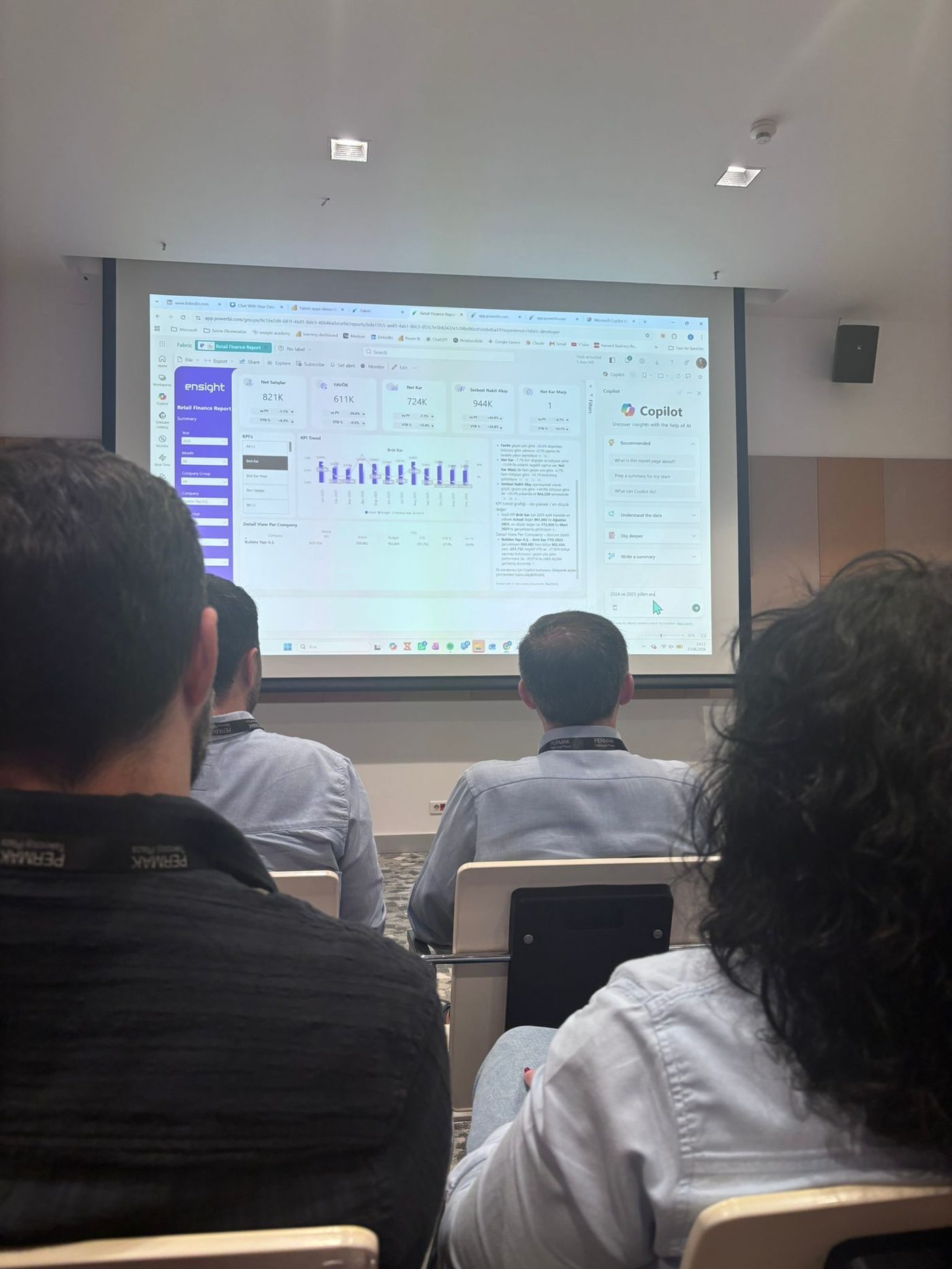
The demo was a retail finance report: Copilot open in Power BI's right-hand panel; questions like "compare this year with last year" asked in natural language about KPIs such as net sales, EBITDA and net profit, with the answer coming back inside the report.
What I Took Note Of
VSearch, which I built for developer teams, rests on the same idea: the user describes the task, and the tool scans the sources and produces the answer. There the sources are work items, code and logs; the audience is the developer.
What I saw at the seminar was the business-side version of the same approach: the source is reporting data, the audience is the person reading the report, and the interface is the Power BI they already open every day. To ask a question, they don't need to message a developer or learn a new screen.
Both sides share the same payoff: the work depends less on any one person, and capacity goes up. The "instructions and example queries" step in Fabric Data Agent felt familiar too; setting up the context in advance instead of leaving the model free rein is also what works best in my own tools.
In Short
- SAP → OneLake → semantic model → Data Agent → Teams / Copilot Studio / Power BI: one straight pipeline.
- The real value isn't in the data layer but on the consumption side: the business user talks to their data inside their own tool.
- The chatflow I built for developers and what's being built on BI for the business are the same principle; the only difference is the source and the audience.
Muhammed Emin Özdemir
Senior full-stack developer at VakıfBank. Focused on enterprise systems, clean code and LLM-based tools.
More about me →
Comments
Be the first to comment